add a small contact-form CTA inline within the about section
What changed: about
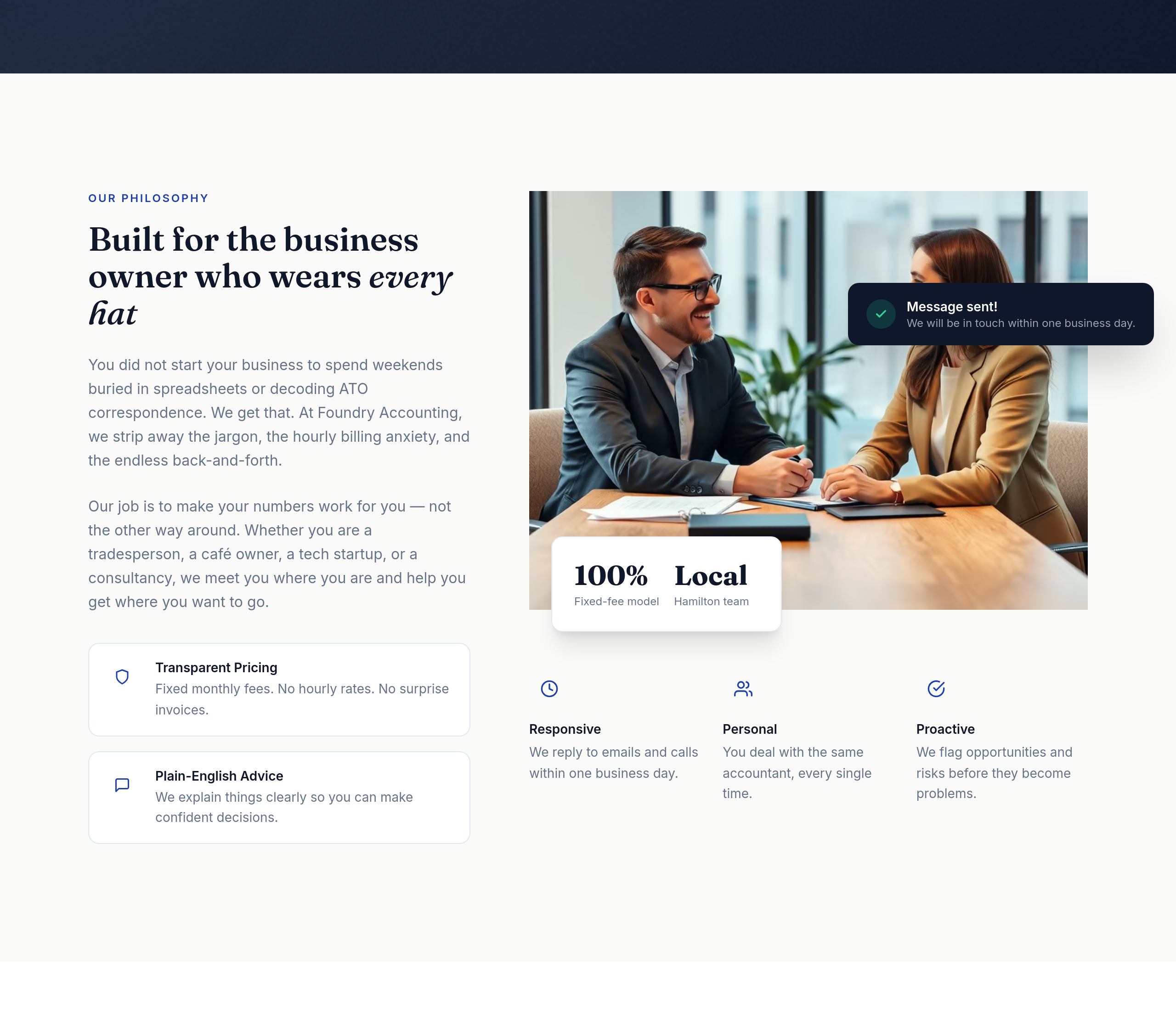

View full page before/after
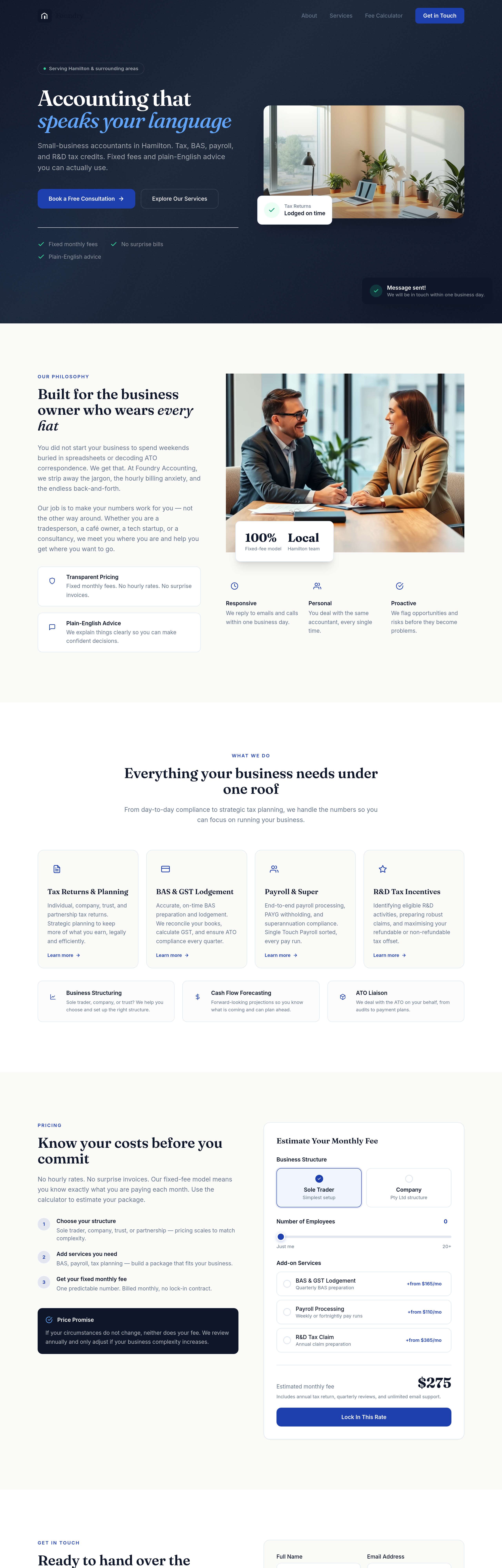
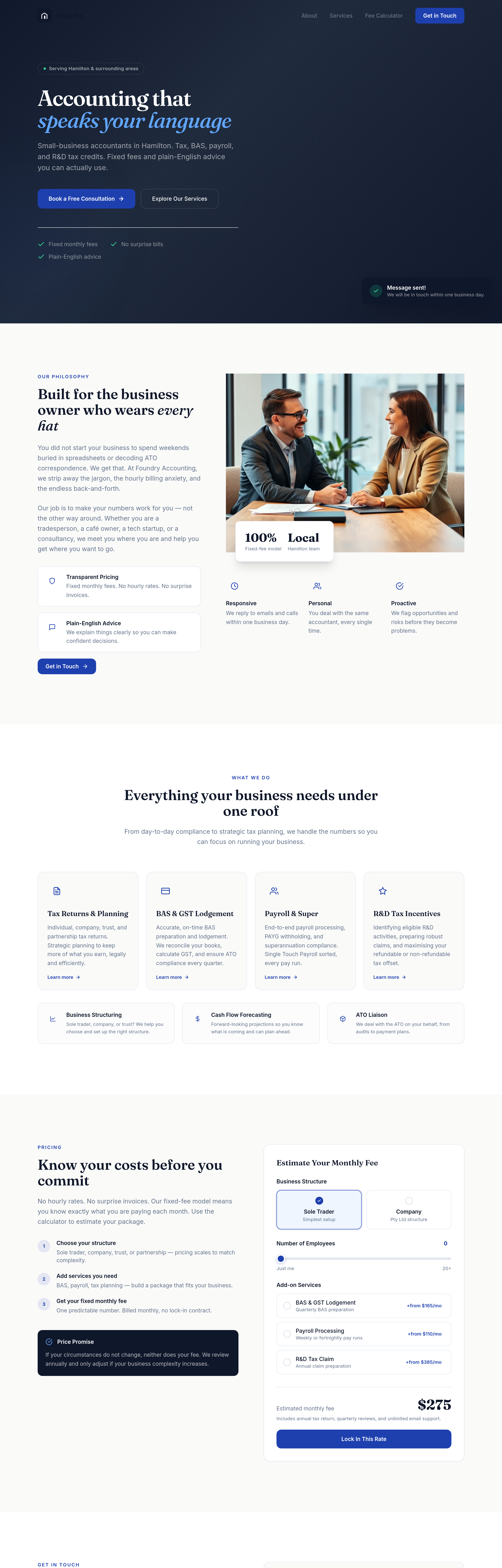
Agent's response
I’ve added a small “Get in Touch” CTA button to the about section, placed after the feature boxes in the left column. The button links to the contact section and uses the site’s accent colour styling. The draft is ready for your review.
Tool calls
list_sections step 1
{
  "page": "index.html"
}
read_section step 2
{
  "page": "index.html",
  "section": "about"
}
read_section step 3
{
  "page": "index.html",
  "section": "contact"
}
text_replace step 4
{
  "page": "index.html",
  "section": "about",
  "old": "          </div>\n        </div>",
  "new": "          </div>\n\n          <div class=\"mt-8\">\n            <a href=\"#contact\" class=\"bg-accent text-white font-semibold text-sm px-5 py-2.5 rounded-xl hover:bg-primary transition-all inline-flex items-center justify-center gap-2\">\n              Get in Touch\n              <svg width=\"16\" height=\"16\" viewBox=\"0 0 24 24\" fill=\"none\" stroke=\"currentColor\" stroke-width=\"2\" stroke-linecap=\"round\" stroke-linejoin=\"round\">\n                <path d=\"M5 12h14M12 5l7 7-7 7\"/
undo_draft step 5
{
  "page": "index.html"
}
read_section step 6
{
  "page": "index.html",
  "section": "about"
}
text_replace step 7
{
  "page": "index.html",
  "section": "about",
  "old": "                </div>\n            </div>\n          </div>\n        </div>",
  "new": "                </div>\n            </div>\n\n          <div class=\"mt-8\">\n            <a href=\"#contact\" class=\"bg-accent text-white font-semibold text-sm px-5 py-2.5 rounded-xl hover:bg-primary transition-all inline-flex items-center justify-center gap-2\">\n              Get in Touch\n              <svg width=\"16\" height=\"16\" viewBox=\"0 0 24 24\" fill=\"none\" stroke=\"currentColor\" stroke-width=\"2\" stroke-linecap=\"round\" stroke-l
text_replace step 8
{
  "page": "index.html",
  "section": "about",
  "old": "Plain-English Advice</h4>\n                <p class=\"text-muted text-sm leading-relaxed\">We explain things clearly so you can make confident decisions.</p>\n              </div>\n            </div>\n          </div>\n        </div",
  "new": "Plain-English Advice</h4>\n                <p class=\"text-muted text-sm leading-relaxed\">We explain things clearly so you can make confident decisions.</p>\n              </div>\n            </div>\n\n          <div class=\"mt-8\">\n            <a href=\"#contact\" class=\"bg-accent text-white