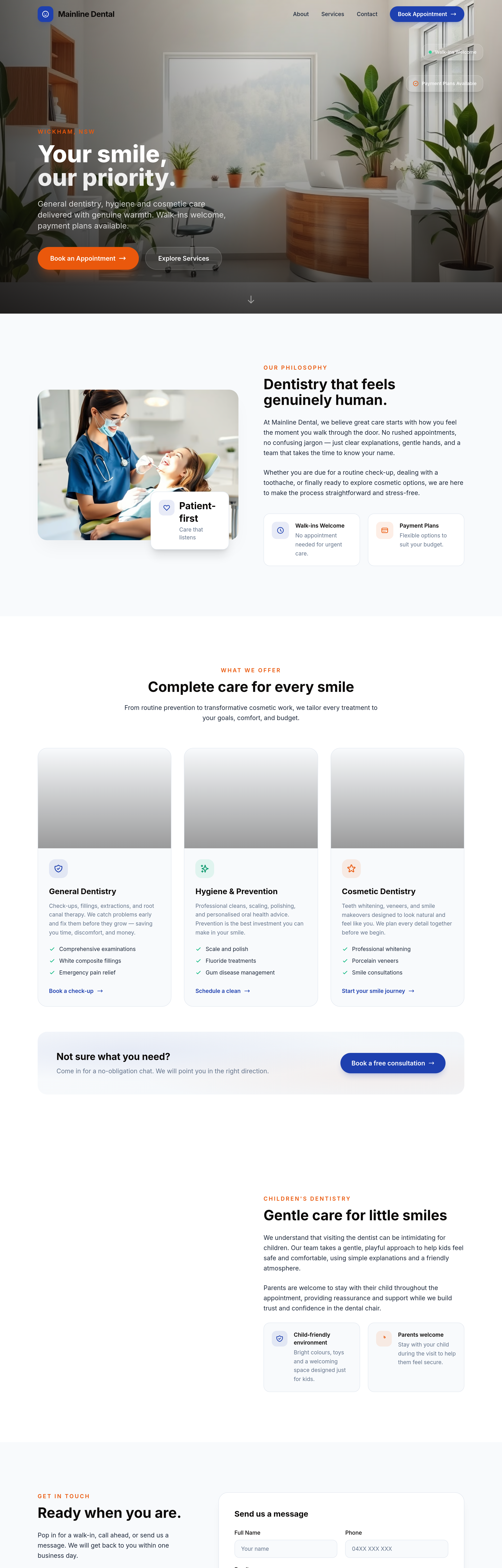
add a 'children's dentistry' section — explains gentle approach + parents can stay with kids
Agent's response
I’ve added a new **Children’s Dentistry** section to the homepage, placed after the Services section and before the Contact section. It includes a friendly image of a gentle dentist with a child and parent, a heading, two short paragraphs explaining the gentle approach and that parents can stay, and two feature highlights (child‑friendly environment and parents welcome). The draft is ready for your review.
Tool calls
list_sections step 1
{
  "page": "index.html"
}
read_section step 2
{
  "page": "index.html",
  "section": "services"
}
read_section step 3
{
  "page": "index.html",
  "section": "about"
}
generate_image step 4
{
  "prompt": "A warm, friendly dental clinic scene: a gentle female dentist in soft blue scrubs kneeling to the eye level of a young child (about 6 years old) sitting in a dental chair, the child's parent standing nearby holding the child's hand, bright natural light from a window, modern clean clinic with light wood accents, a few dental tools visible, focus on caring and reassuring expression, editorial healthcare photography style",
  "style": "photo",
  "slug": "childrens-dentistry"
}
add_section step 5
{
  "page": "index.html",
  "name": "children-dentistry",
  "label": "Children's Dentistry",
  "html": "<section id=\"children-dentistry\" class=\"py-24 sm:py-32 bg-surface\">\n    <div class=\"max-w-6xl mx-auto px-5 sm:px-8\">\n        <div class=\"grid lg:grid-cols-2 gap-16 items-center\">\n            <!-- Image side -->\n            <div class=\"reveal relative\">\n                <div class=\"relative rounded-3xl overflow-hidden shadow-2xl shadow-ink/5\">\n                    <img src=\"/images/ai-1779292488175-childrens-dentistry.png\" alt=\"A gentle dentist examining a child with parent