add a 'specials of the week' section that the owner can swap easily
Agent's response
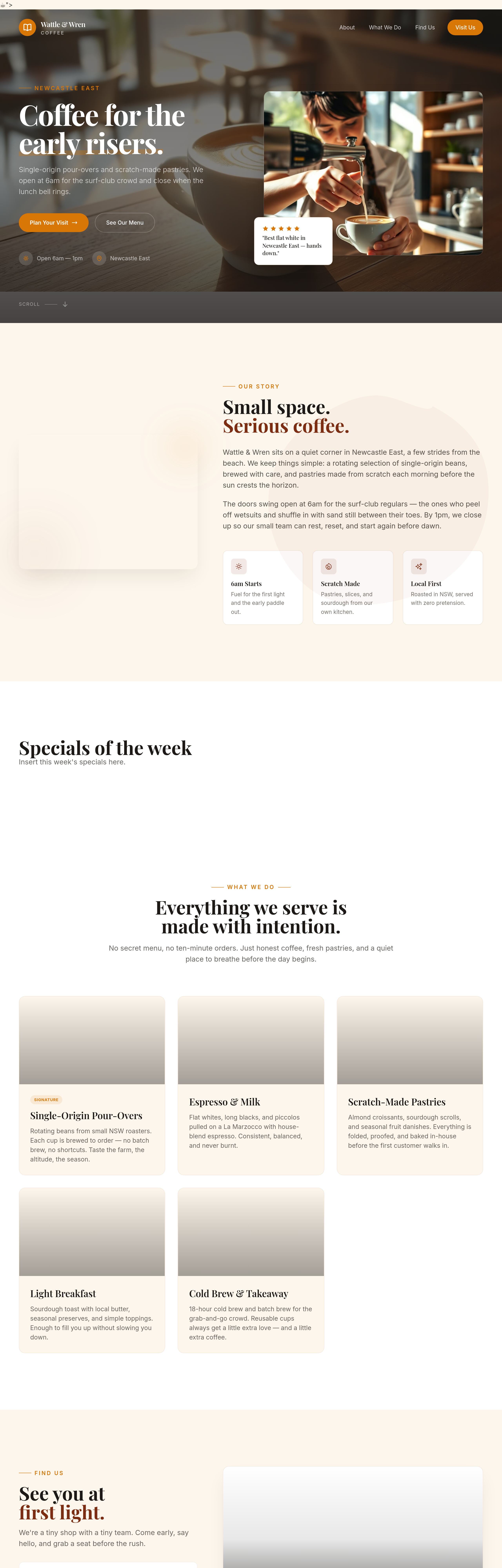
I’ve added a new “Specials of the week” section after the About section on the homepage. The section includes a heading and a placeholder paragraph (with the class `specials-content`) that you can easily update later using a simple text replace—just replace the paragraph’s content with your weekly specials.
The change is saved as a draft; you can review and publish it when you’re ready.
Tool calls
list_sections step 1
{
  "page": "index.html"
}
read_section step 2
{
  "page": "index.html",
  "section": "about"
}
read_section step 3
{
  "page": "index.html",
  "section": "services"
}
read_section step 4
{
  "page": "index.html",
  "section": "hero"
}
add_section step 5
{
  "page": "index.html",
  "name": "specials",
  "label": "Specials of the week",
  "html": "<section id=\"specials\" class=\"relative w-full bg-surface overflow-hidden\">\n    <div class=\"max-w-7xl mx-auto px-5 sm:px-8 lg:px-12 py-20 sm:py-28 lg:py-36\">\n        <h2 class=\"font-display text-3xl sm:text-4xl lg:text-5xl font-bold text-ink leading-tight\">Specials of the week</h2>\n        <p class=\"specials-content text-base sm:text-lg text-body/80 leading-relaxed\">Insert this week's specials here.</p>\n    </div>\n</section>",
  "position": "after",
  "refSection": "about"
}